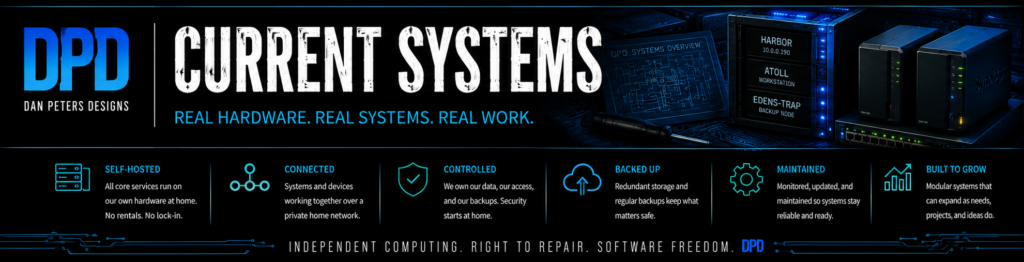
Dan Peters Designs runs on a small collection of rebuilt, secondhand, and already-owned computers. Each machine has a distinct job, and the system continues to evolve as services are tested, moved, documented, and improved.
This is not a showcase of perfect new hardware. It is a practical, working example of independent computing built gradually from what was available.
Atoll — Workstation and Creative Shop
Atoll is the primary workstation. It handles design work, writing, image processing, local AI tools, software development, website administration, and the everyday work of Dan Peters Designs.
It runs Kubuntu Linux and uses a mixture of internal solid-state drives and reclaimed external storage. Atoll is where projects are made; it is not intended to serve the website or remain responsible for always-on family services.
Harbor — Main Home Server
Harbor is the primary always-on home server and the permanent working/staging host for the Dan Peters Designs website. It is rebuilt server hardware running Debian Linux and Docker. The public production website runs separately on the Amadi web server.
Harbor currently hosts the working/staging DPD WordPress environment along with Nextcloud, Jellyfin, a private Minecraft Bedrock server, monitoring, and other local services. Website changes are prepared and tested on Harbor before being deployed to the separate production web server.
Harbor is a core DPD project in its own right: a record of building useful modern infrastructure from reclaimed hardware without renting the entire operation from somebody else.
Edens-Trap — Previous Server and Backup
Edens-Trap is the older Dell-based server that carried the website, Nextcloud, and other services before Harbor came online. It is now disconnected and shelved, but remains intact and available if it is needed.
Keeping the older server available provides a practical rollback path and avoids turning every upgrade into an all-or-nothing gamble.
The Network
The systems are connected through the home network, with public website access handled through a secure Cloudflare tunnel. Internal services remain local unless there is a clear reason to expose them.
The goal is not total isolation. It is to keep the core hardware, services, files, and administrative control close to home while using outside services selectively where they solve a real problem.
Storage and Network Equipment
- Synology DS114: 1 TB network storage.
- Synology DS118: 1 TB network storage.
- D-Link 8-port switch: connects the primary workstation, server, and supporting network equipment.
- Inateck offline cloner and USB dock: used for drive access, cloning, recovery, and temporary storage work.
Still in Progress
The current setup is not finished. Storage, backups, power protection, service migration, documentation, and additional family sites are active work. Changes will be documented honestly, including failed ideas, unexpected costs, and the parts that take longer than planned.
System Pages
- How It Started — the original Zena and Li-Lab era stack
- Atoll — The Workstation — the primary creative and development machine
- Harbor — The Home Server — the always-on server and self-hosted services platform