
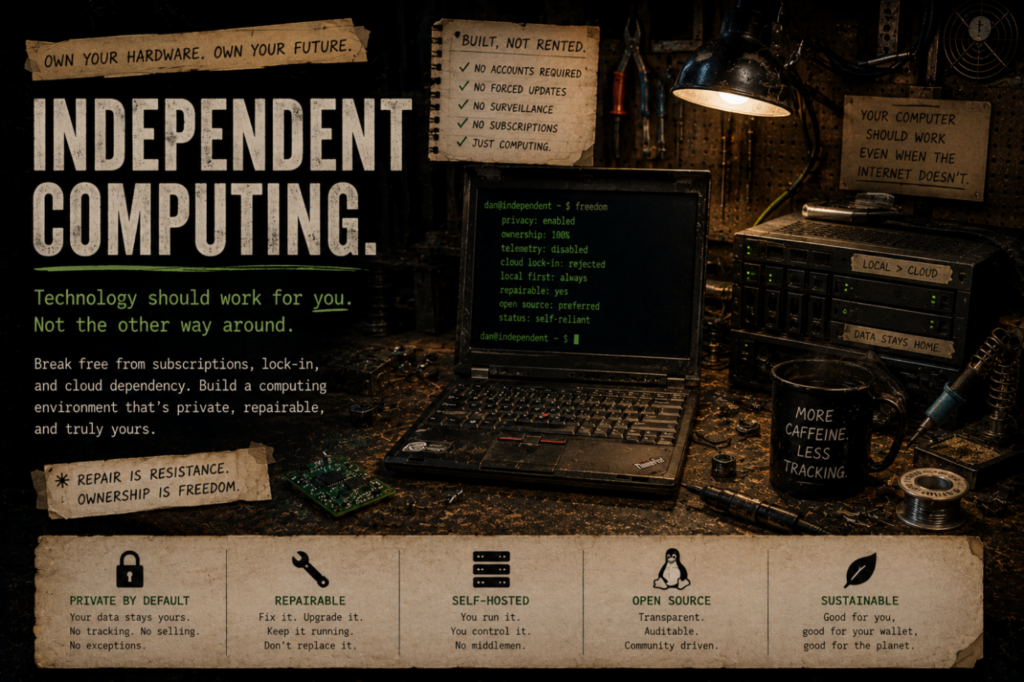
Independent computing means building a digital life that still belongs to you.
Your computer should continue to be useful when the internet is down, a subscription ends, a company changes direction, or an online account disappears. Your files should live in places you understand. Your tools should serve your work instead of turning your work into somebody else’s product.
That does not require becoming a programmer, abandoning the internet, or building a bunker full of blinking servers. It usually starts with smaller, practical choices: keeping local copies, choosing repairable hardware, using software that works without constant permission checks, and learning enough about your own system to make informed decisions.
What Independent Computing Means
- Local-first: Important work and files remain available on your own computer, even when an online service is unavailable.
- Ownership: You keep usable copies of your data in formats and locations you can access and move.
- Repair and reuse: Good hardware should not become garbage simply because it is no longer fashionable or officially supported.
- Privacy by design: Sensitive information stays local whenever sending it elsewhere is unnecessary.
- Resilience: Backups, spare parts, documentation, and recovery plans are treated as part of the system rather than an afterthought.
- Choice: You decide which outside services are useful instead of being trapped inside one company’s ecosystem.
It Is Not a Purity Test
Independent computing does not mean rejecting every cloud service, commercial program, smartphone, or online account. Most people cannot rebuild their entire digital life in a weekend, and they should not have to.
The goal is not perfect isolation. The goal is reducing unnecessary dependence.
You may still use an online service because it is convenient, affordable, or required for work. The important questions are simpler:
- Do you still have your own copy of the important data?
- Can you leave the service without losing years of work?
- Does the tool continue working when the connection fails?
- Do you understand where the information is stored?
- Is the convenience worth the tradeoff?
Start with the Computer You Already Have
The most independent computer is often not a new one. It may be the desktop already under your desk, an older laptop with a replacement solid-state drive, or a used business machine rescued from storage.
A sensible upgrade can be more valuable than an expensive replacement. Additional memory, a healthy drive, a clean operating-system installation, and a good backup can turn an overlooked machine into a useful workstation or home server.
DPD favors repaired, salvaged, secondhand, and already-owned hardware whenever it makes practical sense. Not because old equipment is magically better, but because useful machines deserve to be judged by what they can still do.
Choose Tools That Keep Working
Local software gives you a dependable base. A photo editor, office suite, media player, drawing program, or note system should not become useless merely because a login server is unavailable or a subscription ends.
Open-source software is often a strong fit because it can usually be installed locally, examined, documented, moved between machines, and used without a permanent subscription. Commercial software can also be part of an independent system when its terms and file formats leave the user in control.
The correct tool is not automatically the most ideological one. It is the one that performs the needed job reliably, preserves the work, and does not create a worse dependency than the problem it solves.
Keep Your Files Understandable
Ownership means more than possessing a password. It means knowing where your files are, keeping copies you can open, and avoiding arrangements where one account failure can erase access to everything.
- Keep important files on storage you control.
- Use clear folder structures and ordinary file formats when practical.
- Maintain backups that are not permanently connected to the main computer.
- Test recovery before an emergency makes the test unavoidable.
- Document unusual settings, passwords, mounts, services, and repair history.
A backup is not a decoration. It is a second usable copy, preferably stored separately from the machine it protects.
Self-Hosting, Carefully
Self-hosting can bring websites, file storage, media, game servers, and other services onto hardware you control. It can also create new maintenance, security, power, and backup responsibilities.
That is why DPD treats self-hosting as a gradual process rather than a badge of honor. Start with one useful service. Learn how it stores data. Back it up. Document it. Then decide whether the next service is actually worth running.
Public services should be exposed selectively. Private services should remain private unless outside access provides a real benefit. The fact that something can be placed on the internet does not mean it should be.
The DPD Systems
Independent computing at DPD is not theoretical. The current workshop is built from real machines, mixed-age hardware, repaired storage, local software, and services that are being migrated and documented as they develop.
Atoll — The Workstation
Atoll is the primary creative and development machine. It handles design work, image processing, software projects, local AI tools, testing, and the everyday work of maintaining DPD.
Harbor — The Home Server
Harbor is the primary always-on home server. It carries private services, monitoring, storage and media functions, and the permanent working/staging copy of the DPD website. The public production website runs separately on the Amadi web server, so website development and testing do not have to happen directly on the live host.
Both systems were built around useful hardware already available or obtained secondhand. Neither is a finished showroom build. Their value comes from the work they perform and what is learned while building them.
A Practical Starting Path
- Identify what matters. List the files, tools, and services you would be genuinely upset to lose.
- Make a real backup. Put a second copy on another drive and disconnect it when the copy is complete.
- Replace one dependency. Try one local program for one recurring job rather than changing everything at once.
- Learn where your data lives. Find the folders, exports, databases, and settings that contain your work.
- Repair before replacing. Check whether a drive, battery, memory upgrade, cleaning, or reinstall can extend the machine’s life.
- Document what works. Write down the successful process while it is still fresh.
- Expand only when useful. Add servers, storage, encryption, networking, or automation because they solve a real problem.
Learn Along With Us
If you want a more guided way into the technical side of independent computing, Novice to Knowledge is the learning trail we are following in public. It collects videos, articles, documentation, background reading, and hands-on milestones in an order meant to take someone from “I have heard of this” to “I understand it well enough to build and troubleshoot it.”
The learning trail can cover the different skills that make independent computing practical: Linux and migration, backups and storage, networking, self-hosting, repair and hardware reuse, security, automation, and other useful tools. Individual paths may also explore newer technologies when they solve a real problem. The page will change as we learn, hit milestones, find better teachers, and discover where the confusing parts really are.
What DPD Is Building
Dan Peters Designs is building guides, tools, systems, themes, icons, and documented experiments intended to make independent computing more approachable.
- Beginner-friendly Linux migration and everyday use
- Repair, salvage, and practical hardware reuse
- Local-first creative and productivity software
- Home servers and selective self-hosting
- Backups, recovery, and understandable storage
- Original software, themes, icons, and design resources
- Honest documentation of costs, failures, compromises, and revisions
This work is not about pretending every person should become a full-time system administrator. It is about helping ordinary people gain enough control to make their computers dependable, understandable, repairable, and genuinely useful.
You do not have to rebuild everything today. Take ownership of one useful piece, then build outward from there.