
The Barrier to Entry
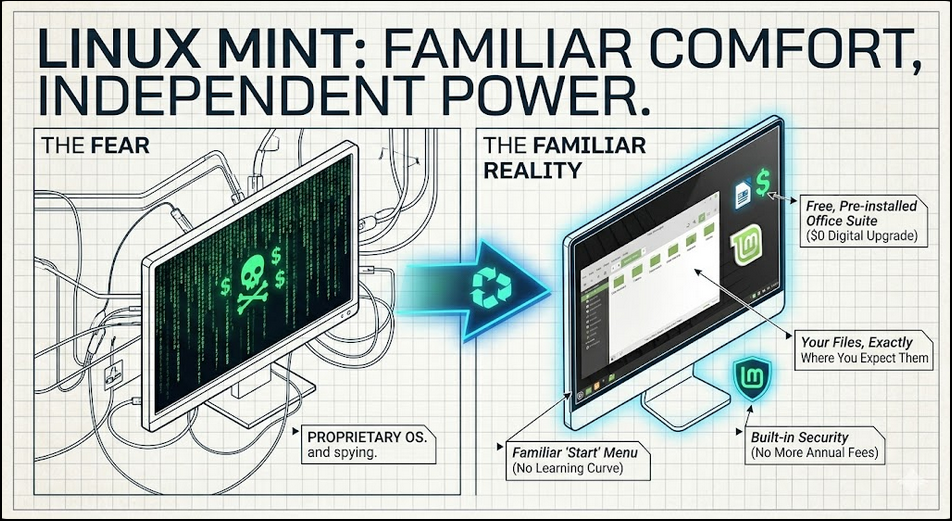
For most people, the word “Linux” conjures up images of hackers in dark rooms typing green code into black screens. It feels like something reserved for computer scientists or people with a lot of time on their hands.
But here is the secret: If you can use a web browser and open a folder, you can use Linux.
Why Linux Mint is the “Hero” of the Home Office
Specifically, we recommend Linux Mint (Zena). We use it because it was designed with one goal in mind: to be comfortable. When you open it for the first time, you’ll see a “Start” menu in the corner, a taskbar at the bottom, and your clock on the right—exactly where you expect them to be.
The “$0 Digital Upgrade”
The biggest advantage for families and small businesses is the cost.
- Windows/Mac: Often requires a new machine or a paid license.
- Linux: Always free.
When you install Linux on an older laptop, you aren’t just changing the look; you are removing the “bloatware” that slows your computer down. It’s the ultimate “least expensive option” to make an old tool feel brand new.
Three Reasons to Make the Switch:
- No More “Spying”: Unlike mainstream operating systems, Linux Mint doesn’t track your search history or hardware usage to sell to advertisers.
- Everything is Included: It comes with a full Office Suite (LibreOffice) for school papers and spreadsheets, a web browser, and photo tools—all pre-installed and free.
- Safety First: Because of how Linux is built, it is naturally more resistant to the viruses and malware that plague traditional systems. You can stop paying for those expensive annual antivirus subscriptions.
The “Test Drive” (Zero Risk)
You don’t even have to delete your current files to try it. You can put Linux Mint on a small USB stick and boot your computer from it. This lets you “test drive” the system. If you like it, you can install it. If not, you just unplug the stick and you’re back to your old system.
Beyond the Desktop: Your Digital Freedom Kit
Linux is just the “engine” that runs your computer. Once you have a clean, independent system, you can start swapping out all those expensive, data-hungry apps for tools that actually respect your privacy. Whether you need a replacement for Photoshop, a way to host your own family calendar, or a private way to store photos, the options are endless and mostly free.
Check out our Software Toolbox for a curated list of our favorite independent, low-cost alternatives to the “Big Tech” status quo.
Call to Action: Ready to see what your “old” hardware is actually capable of? Read our guide on The Hand-Me-Down Economy to see how a software transplant can save you hundreds of dollars.